Product
Visibility, safety controls, human oversight and evidence for your AI agents
Send your agents' actions through AgentBlackBox, or connect the apps they work in. Rules decide what may happen, a person approves the risky steps, and every step joins a record you can verify and export.
AgentBlackBox sees and controls only what your agents send through it or through tools you connect. It does not monitor other AI tools.
In the product
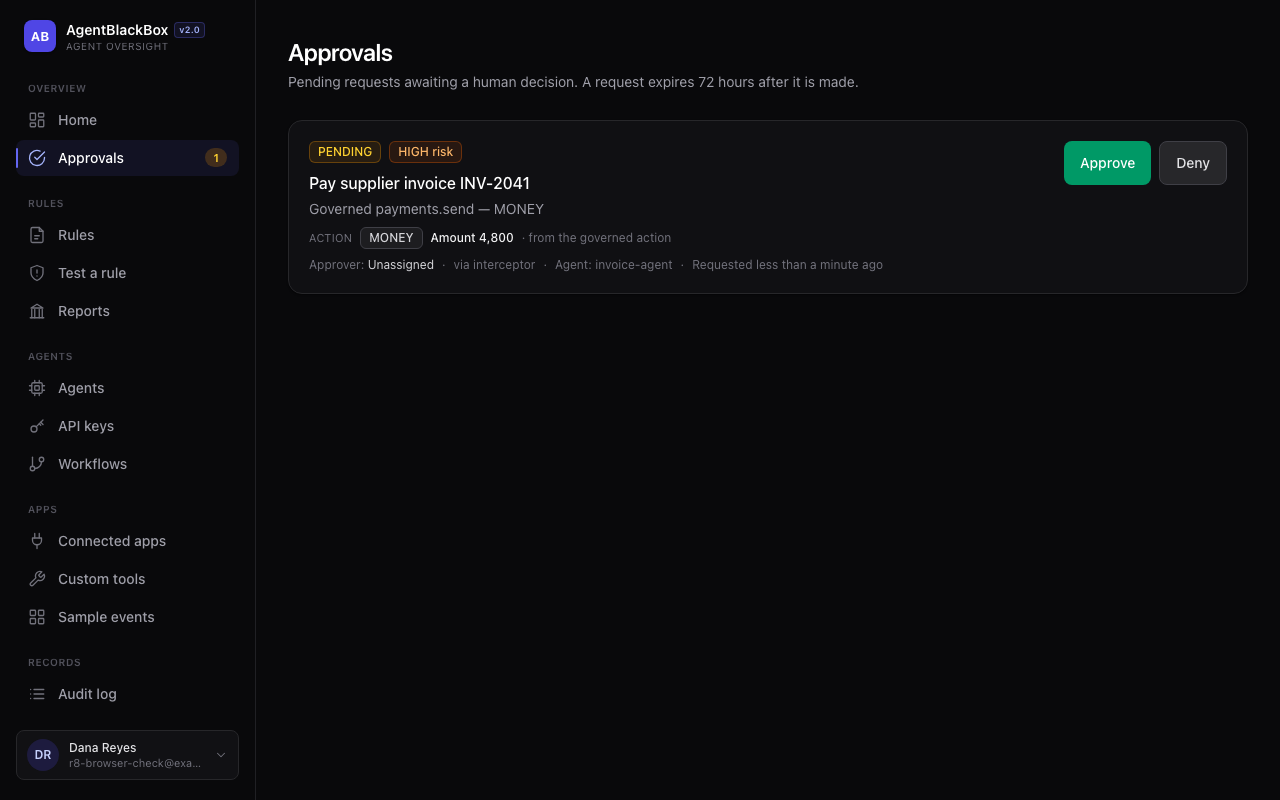
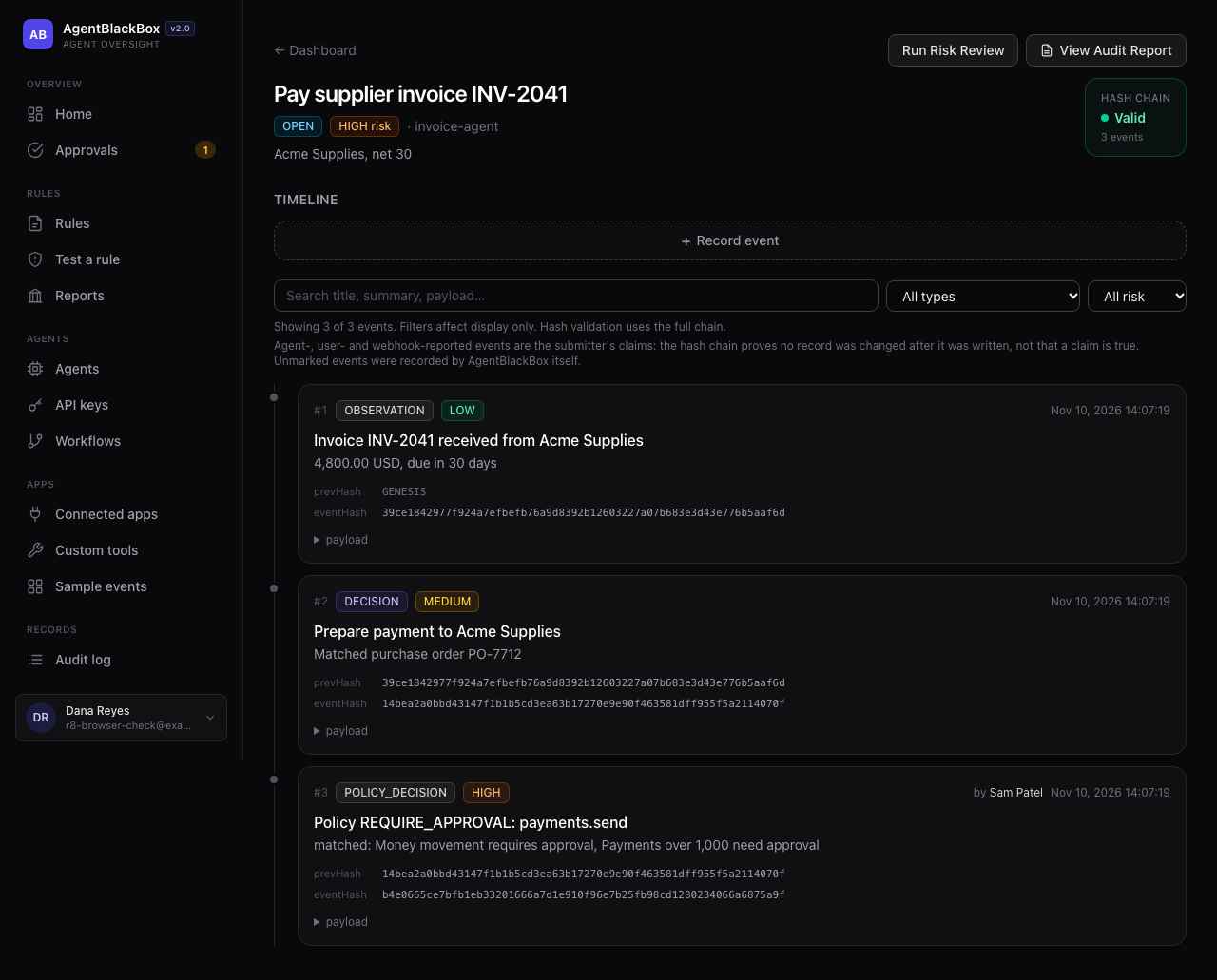
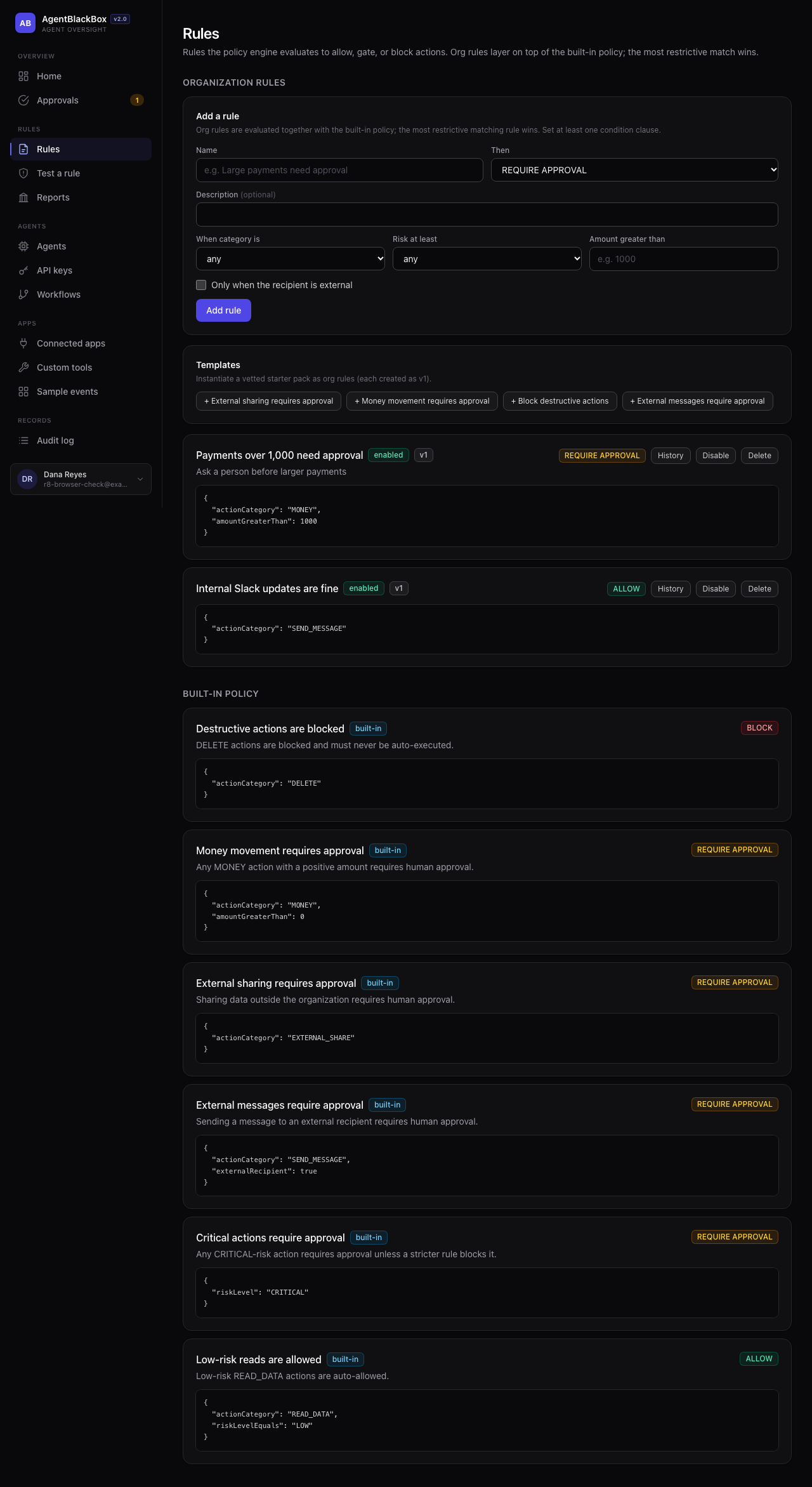
Screenshots of AgentBlackBox with example data.
What each label means
- Available On for every workspace today.
- Set up per workspace Available; your workspace sets it up.
- On request Built; we switch it on for a pilot workspace.
- Not switched on yet Built, not switched on in our service yet.
- Planned Not built yet.
See what your agents do
A record of the activity your agents report or route through AgentBlackBox, and of what happens in the apps you connect.
Activity record per task
AvailableAgents send what they observed, decided and did, through the API or the SDK. Each task gets its own timeline.
Connected apps
AvailableSlack, Gmail, Google Drive, GitHub and Notion, connected with their own sign-in. Activity from them joins the record.
Agent registry
AvailableEach agent has a name, a risk class and the tools it may use. An action outside its tools is refused; an agent can be switched off.
Reports
AvailableDecisions, approvals and blocked actions over 7, 30 or 90 days, with a signed export.
Decide what they may do
Rules check every action your agents send through AgentBlackBox, before it runs.
Rules
AvailableAllow, ask a person first, or block, by action type, risk, amount, recipient, tool or content. Rules can also change or redact an action. Built-in rules already block deletions and ask before money moves or data leaves your organization.
Watch-only first
AvailableNew workspaces start in watch-only mode: rules decide and record, nothing is blocked. Switch to enforce when the decisions look right.
Risk assessment
AvailableAgentBlackBox sets the risk itself: sending outside your organization or moving money raises it, and an agent can never lower it.
Execution controls
AvailableActions go through three gateways: agent decisions, connected-app actions and custom tools. A held action runs only after it is approved. App credentials stay encrypted with AgentBlackBox; the agent never holds them.
Rule history and testing
AvailableEvery rule change is a new version you can roll back. "Test a rule" shows the decision for a sample action without recording it.
Rate limits
AvailableEach agent key has limits on the gateways. If a limit cannot be checked, the action is refused rather than run unchecked.
Keep a person in the loop
Risky actions wait for a human decision, recorded with the action and its risk.
Human approvals
AvailableIn a team, the approver must be someone other than the person or agent that asked. Approver groups decide who may approve what.
Personal workspaces
AvailableWorking alone? You confirm your own risky requests by entering your password again, and the record notes it.
Approval safeguards
AvailableA request expires after 72 hours without a decision, and approving checks the action against the rules in force at that moment.
Workflows
AvailableMulti-step workflows with an approval step, run on demand.
Scheduled workflows and reminders
Not switched on yetWorkflows on a schedule, reminders for waiting approvals and escalation to a group's backup approver.
Keep evidence you can check
A tamper-evident record, and exports for auditors and clients.
Tamper-evident records
AvailableEvery recorded event is hashed with SHA-256 and chained to the one before it. Verifying shows whether a recorded event was changed or removed from the middle of the chain.
Checkpoints
AvailableSigned checkpoints seal a range of events, so removing the most recent ones is detected too. Admins create them; automatic checkpoints need scheduled jobs.
Signed exports and reports
AvailableA JSON export signed by AgentBlackBox (HMAC-SHA256) and a printable audit report for every task; owners can export the whole workspace. Checking a signature needs AgentBlackBox's key.
Audit log
AvailableWho changed which setting, rule, key or member, and when.
Public anchoring
Not switched on yetAnchoring checkpoint hashes to a public timestamp service (OpenTimestamps).
Signatures anyone can check
PlannedPublic-key signatures, so a third party can check an export without our key.
For developers
Add a policy check and an approval step to your agent with a few API calls.
REST API
AvailableRecord events, evaluate rules, request and poll approvals, and send actions through the gateways. Every answer carries a request id.
API keys
AvailablePersonal or service keys, optionally bound to one agent and given an expiry. Shown once and stored only as hashes.
Custom tools
AvailableRegister your own HTTP endpoints and MCP servers; agents call them through the same rules. Only public https addresses are accepted.
Signed webhooks
AvailableInbound webhooks are signed with a timestamp and refused when replayed.
TypeScript SDK
AvailableA client for every endpoint, including the modify, redact and retry answers. Available in the repository; not published as a package yet.
For teams and businesses
Roles, company sign-in and the controls a security team asks for.
Roles and members
AvailableOwner, admin and member. Owners manage owners and role settings; admins can deactivate members; a workspace always keeps an active owner.
Single sign-on and SCIM
Set up per workspaceMicrosoft Entra sign-in with proof that your organization owns its email domain, and automatic member provisioning.
Legal hold and privacy requests
AvailableKeep all records under legal hold; export or erase a person's data.
SIEM streaming and Slack notifications
On requestStream the audit log to Splunk, Datadog or a webhook, and notify Slack channels.
Your account
Sign-in and recovery.
Secure sign-in
AvailablePasswords stored as bcrypt hashes; password sign-in pauses after 10 wrong attempts; changing your password or "Sign out everywhere" ends every session.
Password reset and email verification by email
Not switched on yetSingle-use links that expire. Until email sending is switched on, support helps you back in.
Two-factor sign-in
PlannedA second factor for password accounts.
Paid plans
Not switched on yetPersonal, Pro and Business subscriptions through Stripe (coming soon, billed monthly). Every feature works on the free plan today.
What AgentBlackBox does not do
- It does not watch AI tools you have not connected, or actions an agent takes with its own credentials outside AgentBlackBox.
- It checks the actions sent through it; it cannot stop an action that never reaches it.
- It holds no SOC 2, ISO 27001 or similar certification, and using it does not by itself make you compliant with any regulation.